A new reporting module, Report (Custom), is available from release R2026. New reports can be created from Admin module: Admin | Data Design | Report (Custom).
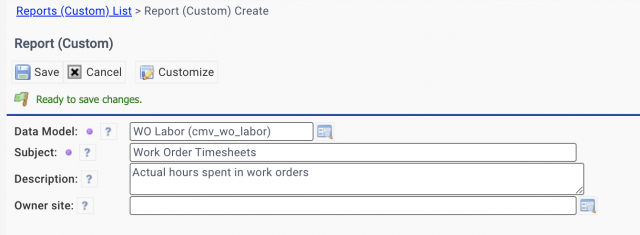
- Select a data model to do the report.
- Data models of work orders and assets are included. Additional data models may be added in future releases.
- Use "Subject" as the title of the report.
- "Owner site" may be populated to enable site-based access control for managing the report.
The new reports are accessible by groups (roles). Use the group access list to assign groups for report access.
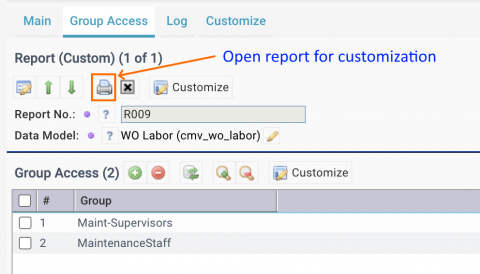
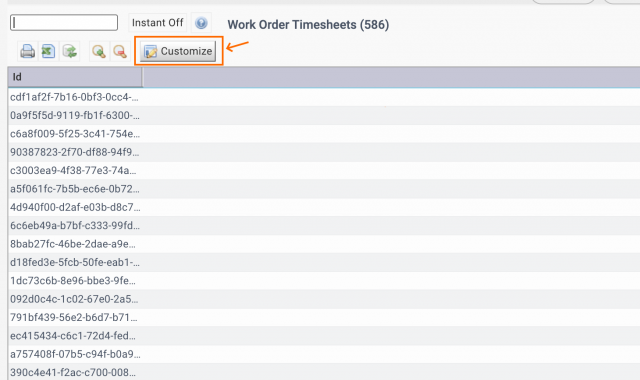
Next, click the print button to open report for customization. Click "Customize" button to add menu and columns to the report.
- Add menu items such as "Close" (x) and "Search" to the report.
- The "Search" menu may be used to add a new query and make that query default and mandatory (see this blog).
- Add columns to the report.
- The next screenshot shows the customized report.
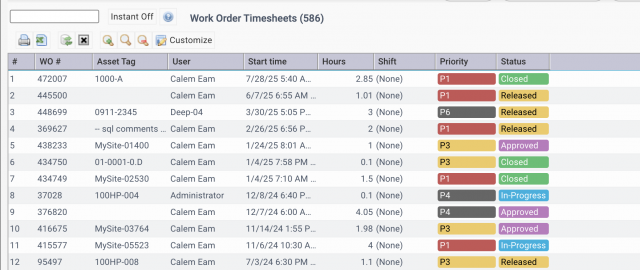
The new reports are accessible to end users at menu: Report (Custom).
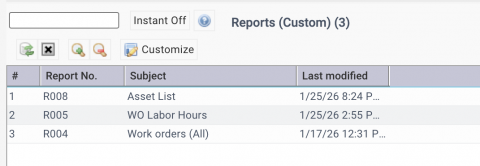
The new report module allows admins to create new reports in addition to over 500 reports included in Calem. It delivers significant value to customers.
Additional Resources
- Making a Shared Search Required
- How to Use the Calendar View for Work Orders
- How to Set Up Map Views in Calem
- How to Visualize Work Orders by Open WO Chart
- Work Order Logbook
- How to Manage Asset Relationship in Calem
- Dashboard Module Training
- PM Module Training
- Work Order Module Training
- How to Manage Resource Schedules
- How to Do Weekly Schedules by Teams
- User Guide and Admin Guide (customer account required)
- Calem Enterprise Training Site
- Calem Enterprise Blogs
- Calem Enterprise demo