MQTT (message queuing telemetry transport) is a protocol for communication with devices (IoT – internet of things). MQTT integration is available in the coming release of Calem R2024g (Jan. 2025).
- Asset meter readings are taken by Calem via MQTT.
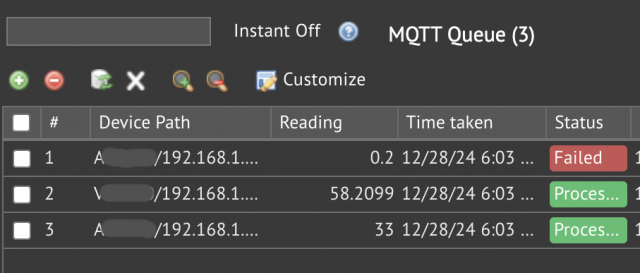
- The readings from MQTT can be viewed at Integration | Open | MQTT Queue
1. MQTT Brokers
The first step is to configure MQTT brokers in Calem. MQTT brokers are repositories of asset meter readings. Calem MQTT broker receives readings from field devices and publish to Calem services. The following is a sample MQTT broker configured in Calem. Additional info may be provided by your Calem Team including user name, password and secured communication settings.
$_CALEM_dist['asset_conf']['mqtt']['brokers']['b0']=array(
   'topic'=>'mymqtt/#',
   'host'=>'mqttib.calemeam.com',
   'port'=>8883
);
2. MQTT Device Integration
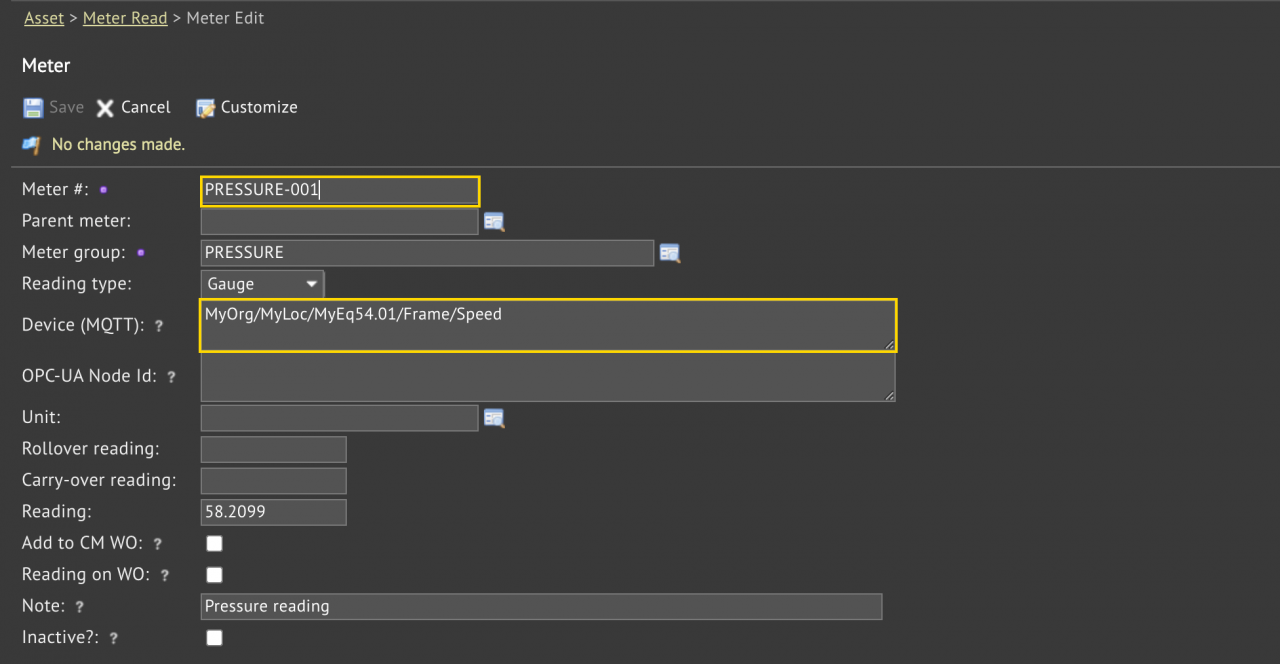
A device in MQTT is integrated with an asset meter in Calem by its device path. Setting "Device (MQTT)" of an asset meter to a device path in an MQTT device browser will enable Calem to fetch meter readings from MQTT brokers. Here are the steps to integrate MQTT with Calem:
- Create a new asset meter for an MQTT sensor at menu path: Asset | Asset List | Asset form | Meter tab.
- Set "Device (MQTT)" to the source path of an MQTT broker device.
- Alternatively, you may use a physical path for the integration.
- The source path is more user friendly.
- Calem uses the "Device (MQTT)" to match the source or physical device path of device data fetched from MQTT brokers.
- A source path shows the hierarchy of equipment and sensor with "/" as separator (note: no space around "/"). For instance: MyOrg/MyLoc/MyEq54.01/Frame/Speed
- A physical path shows the hierarchy of network and ports with "/" as separator. For instance: 10.20.30.40:3123/Analog/Input Id 0/Object Id 9/objectresult
3. MQTT Scheduled Task
The last step in the MQTT integration is the setup of a scheduled task to pull readings from MQTT. For instance, an hourly cron job may be configured to pull readings from MQTT - see Calem Enterprise Admin Guide for more information.
Additional Resources
- Bulk Update by Data Export and Uploa
- Calem Integration 1: Email & Misc Integration
- Calem Integration 2: REST API
- Calem Integration 3: Custom Triggers
- Calem Integration 4: Subscribing to Data Changes via REST API
- Calem Integration 5: Upsert REST API
- Calem Integration 6: Inbound Inventory Transactions
- Calem Enterprise Customization
- Custom Fields and Forms for User Skills
- List View Customization
- User Guide and Admin Guide (customer account required)
- Calem Enterprise Training Site
- Calem Enterprise Blogs
- Calem Enterprise demo