Calem Blogs
Archive Work Order History
Archive function allows administrators to store historical data in files and purge the data from Calem Enterprise. The function is useful for organizations with large data sets. For instance, an organization with tens of thousands work orders may archive and purge work orders that are over four years old.
The archive function extracts historical data prior to an archive date and stores them off in a server directory. Upon a successful archive, historical data is extracted and optionally purged from Calem. The extracted data can be viewed and searched in Microsoft Excel.
- If the data archived is purged from Calem, it will not be stored in recycle-bin for restoration (see Admin Guide for recycle-bin).
- Menu path: Integration | Open | Archive
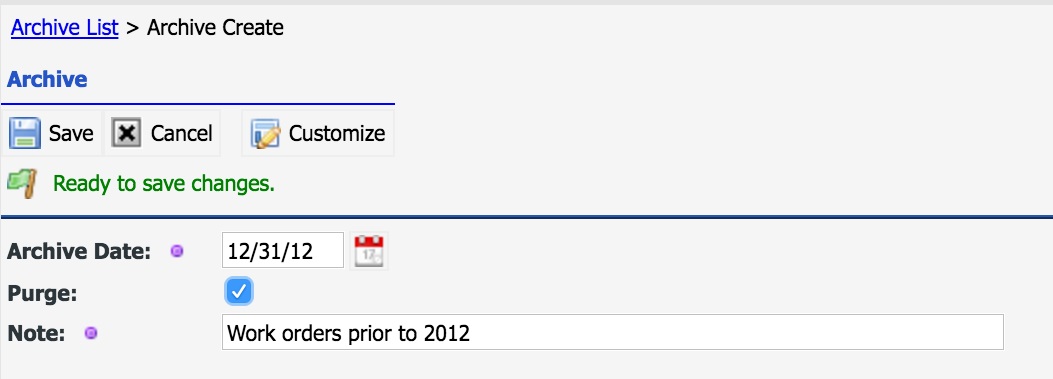
- The archive date is used to find work orders with last updated time of the archive date or earlier.
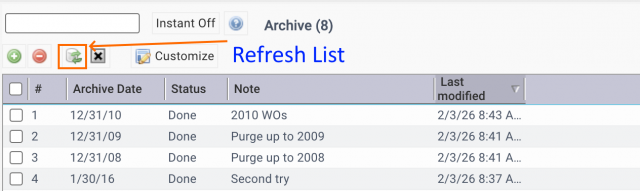
- Click "Save" to start. You may get a timeout error message since the archive process may take long time. Close the screen and go to Archive menu again, refresh the list and monitor the archive status from the list till it is done or failed (next screenshot).
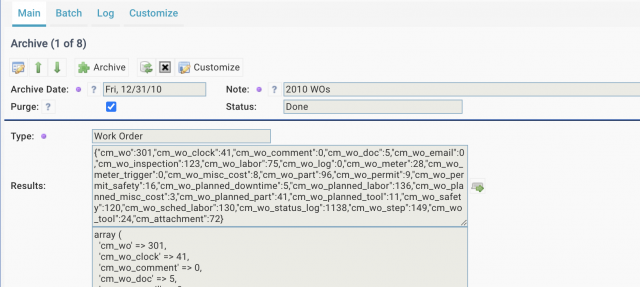
- You may open an archive process row to view details (next screenshot).
- If an archive process failed (such as table optimized during archive), click "Archive" to continue the archive process which will pick up from where the process failed.
Customers who are interested in using this feature should review "28.5 Archive History" of Calem Enterprise User Guide for more information.
Additional Resources
- User Guide and Admin Guide (customer account required)
- Calem Enterprise Training Site
- Calem Enterprise Blogs
- Calem Enterprise demo
About the author

By accepting you will be accessing a service provided by a third-party external to https://eam.calemeam.com/