Calem Blogs
Feature Tip: Work Permit Enhancements
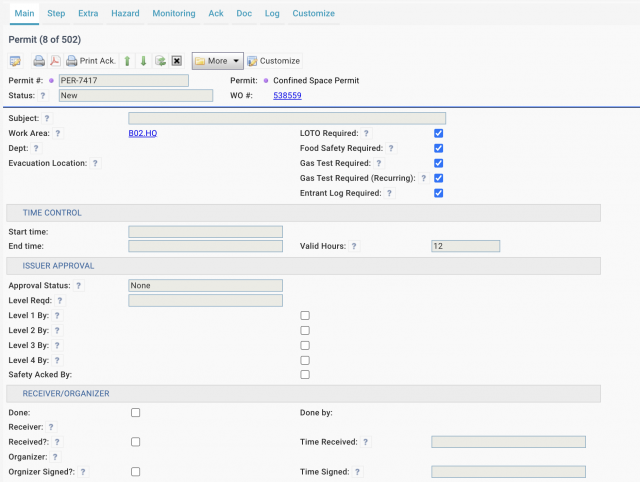
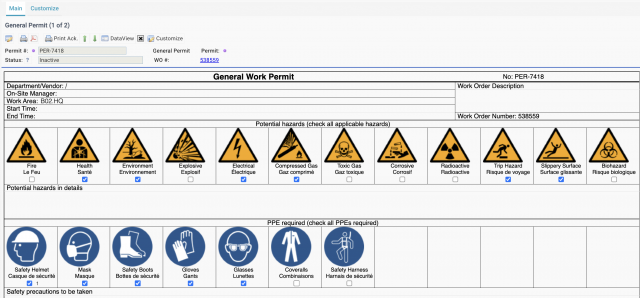
Enhancements to work permits are available in the coming release of R2026g in October 2026. For example, a confined space permit (screenshot below) involves LOTO, food safety, atmospheric monitoring (Gas Test) and entrant control. A general safe permit (screenshot below), including hazards and PPE requirements, goes with the confined space permit.
1. Input Value for Safety Steps
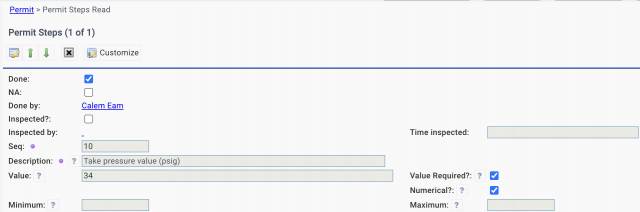
An input value is available for a safety step or a line of PPE. For instance, a reading is required at a safety step.
- An input value may be a free text or a numerical with minimum and maximum values. The min/max values are configured at templates and cannot be changed at execution.
- If a value is out of range, a step may not be completed. A workflow notification may be sent to safety teams.
- A PPE may have an input value without min/max control.
- Respiratory protection may be added to the PPE list.
2. Extra Permit Procedures
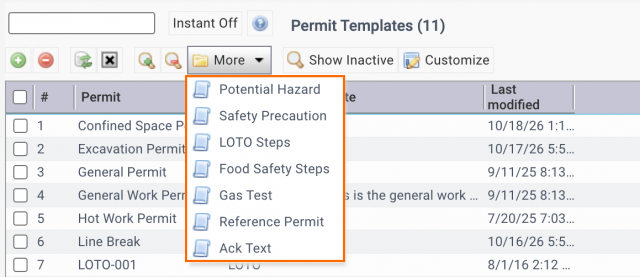
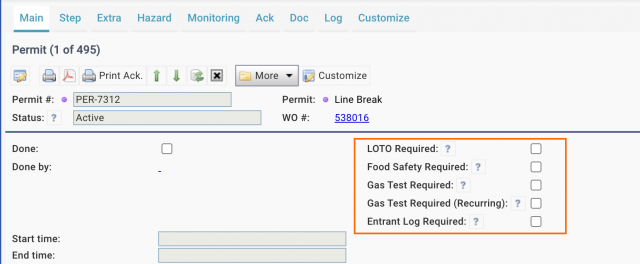
A permit may include extra procedures in additional to its safety steps. For instance, LOTO, food safety, atmospheric monitoring (initial and recurring gas tests) may be mandated for a permit.
- Extra procedures can be defined at Menu path: Work Order | Codes | Permit Templates | More dropdown menu.
- Each permit template may include optional extra procedures.
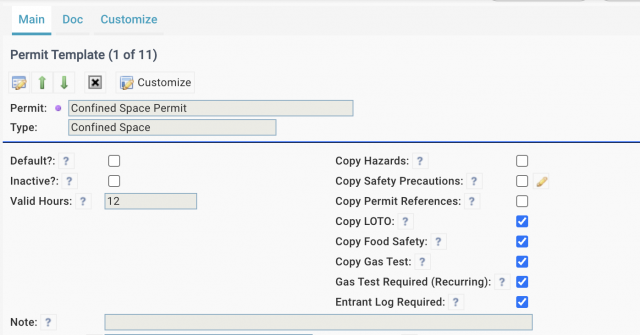
When a work permit is created from a permit template, settings of extra procedures are carried over to its work permit.
3. Up to Four (4) Approval Levels
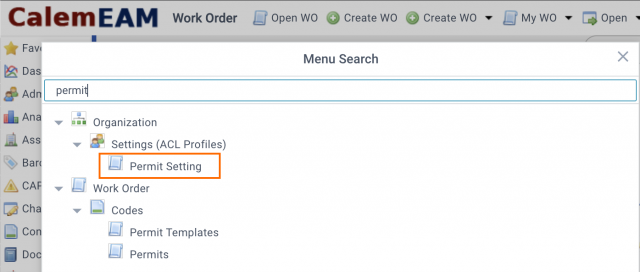
The approval levels have been extended to up to four (4) levels. They can be configured by permit types and assign to users and teams.
4. Permit Status Control
Statuses of "Closed" and "Expired" are added to permit lifecycle.
- When a work order is completed, its permits not in "Voided" or "Expired" statuses will be transitioned to "Closed".
- Valid hours may be configured so that expiration time of a permit may be calculated from its issue time. A permit may be transitioned to "Expired" status.
5. Authorized Companies
A permit may involve internal sites and extenal sites (vendors).
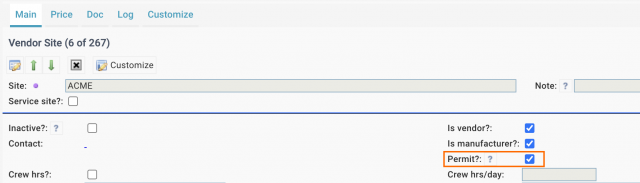
- Vendor sites with "Permit?" checked may be included in authorized sites (screenshot below)
- An EAM site may be included in authorized sites (there is no need to set "Permit?" flag for EAM sites).
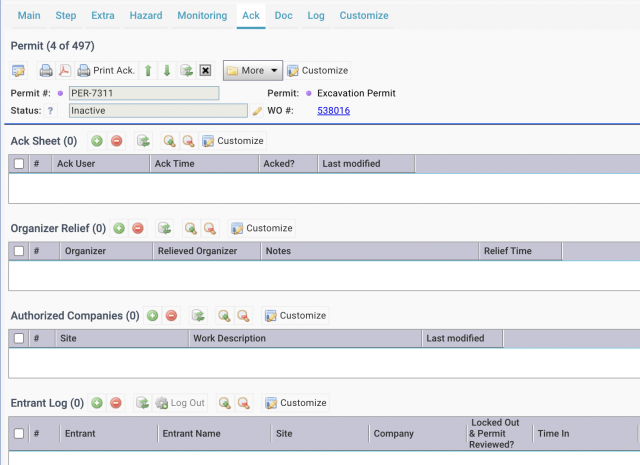
- Vendor sites can be configured in "Ack" Tab of a work permit (screenshot below)
6. Ack Tab
The Ack tab includes receivers, organizer relief, authorized companies (discussed above) and entrant logs for restricted areas.
- Ack Sheet: each receiver may acknowledge the receipt of a permit.
- Organizer Relief: a permit organizer may be relieved and a new organizer takes over. The relief list keeps the organizer change logs.
- Entrant Log: each user may record its time in and out to a restricted area as required.
7. Emergency Contacts
Emergency contacts may be configured at Org | EAM Company. They are carried over to new permits and can be edited at a permit.

Additional Resources
- Steps to Delete Work Permits in Calem
- Introducing work Permit
- Integrating Permits into the Work Order Lifecycle
- Work Permits Notifications
- New Feature: Work Permit Approval and Status Tracking
- New Feature: Permit Requirement in Work Order Creation
- New Feature: General Work Permit Form Digitization
- Work Order Module Training
- User Guide and Admin Guide (customer account required)
- Calem Enterprise Training Site
- Calem Enterprise Blogs
- Calem Enterprise demo
About the author

Related Posts
By accepting you will be accessing a service provided by a third-party external to https://eam.calemeam.com/