Calem Blogs
Introducing Object-Level vs Record-Level Permissions
Object-Level Permission grants users with access to edit menu (create, edit, delete) to perform edit actions on all records accessible. Record-Level Permission restricts editing actions to selective users. For instance, with record-level permission, an error message may show (screenshot below) when modifying statuses of four work orders checked.
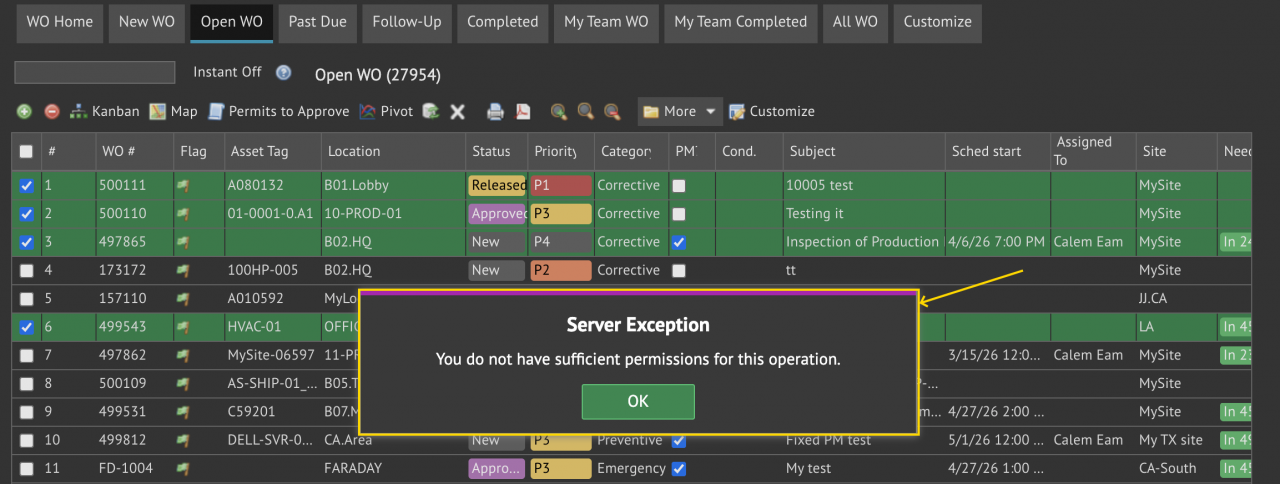
1. A Use Case for Record-Level Permissions
A team of production users is configured to create work orders. A user may modify work orders he or she submitted. They are not allowed to modify work orders submitted by others. Record-Level permission is a perfect fit for this case.
2. Introducing Record-Level Permissions
Object-level permission is the default setting out of the box. Users with access to edit menu (create, edit, delete) in a list view can edit all records in the list. With record-level permission some of the records in a list view may not be editable.
- The modules supporting record-level permission include Work Order and Service Request.
- There are other modules with record-level permission out of the box.
- They include MOC (changes), CAPA, and Risk Modules.
- Record-level permissions are enforced all the time in these modules.
- They are not subject to Object-Level and Row-Level configuration settings discussed below.
- Record-level permission allows editing to the following users:
- Requesters who created a WO or SR.
- Users assigned to a WO or SR.
- Members of a team assigned to a WO or SR
- Module planners:
- WO Planners can edit all WOs accessible.
- SR Dispatchers can edit all SRs accessible.
- Permit Planners can edit all permits accessible
- These users or teams are configured at Organization | ACL Profiles | Monitor User
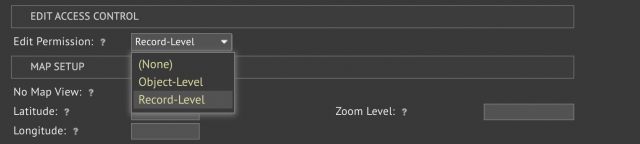
Object-level permission is the default setting out of the box. Admin users can turn on record-level permission at profile or system level
- At profile level, set "Edit Permission" to "Recod-Level" to enable record-level permission for this profile.
- If profile edit access is None, Calem will use the system-wide "Edit Permission" configured at Organization | EAM Company.
- For instance, one may enable system-wide "Record-Level" editing by setting "Edit Permission" to "Record-Level" at EAM Company without populating "Edit Permission" in profiles.
About the author

Related Posts
By accepting you will be accessing a service provided by a third-party external to https://eam.calemeam.com/