Clay's Blog

These are the official blogs about CalemEAM.
Jun
17

Introducing Data Change Logs


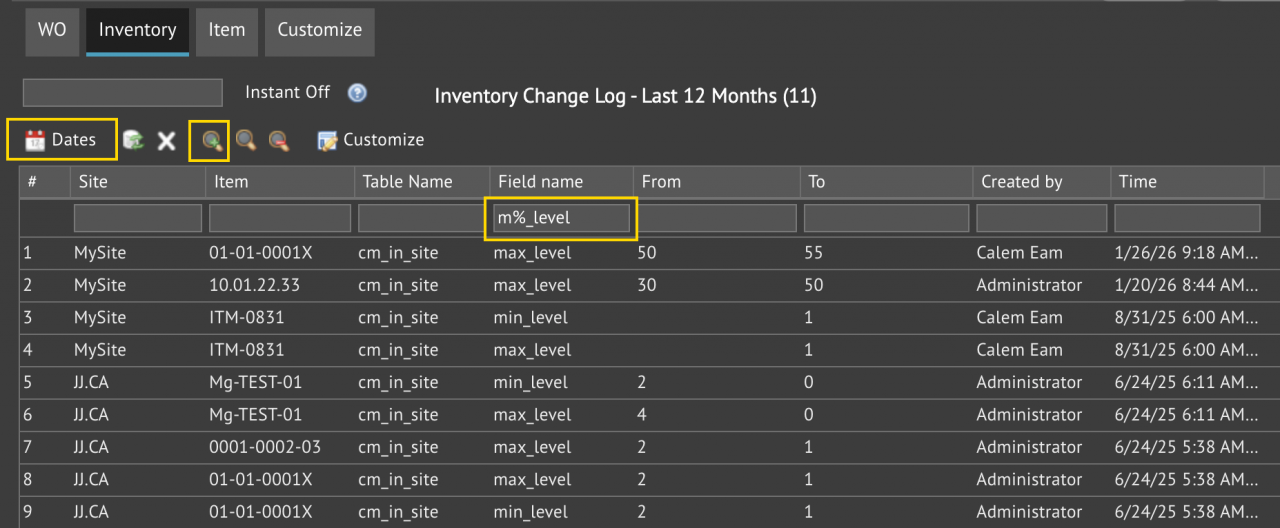
A new form of data change logs is available in the coming release of R2026d (June 2026). One can review data changes by time and fields. For instance, the screenshot below shows changes of minimum and maximum stock levels in inventory for the past 12 months. Menu path: Admin | Report | Data Change Log.The form include changes lo...
Continue reading
  160 Hits
Tags:
160 Hits
Mar
13

Introducing Object-Level vs Record-Level Permissions


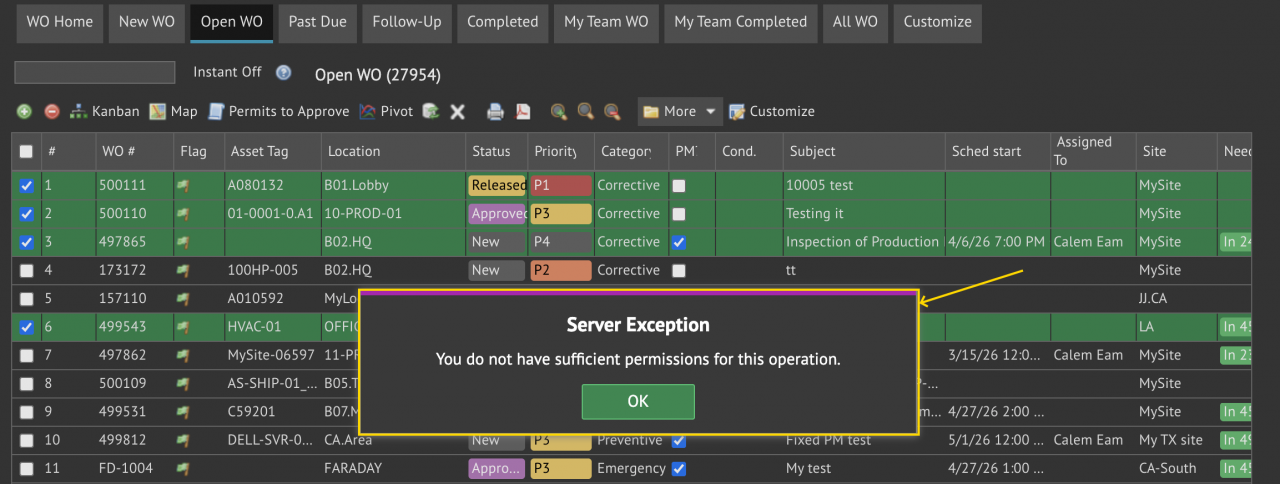
Object-Level Permission grants users with access to edit menu (create, edit, delete) to perform edit actions on all records accessible. Record-Level Permission restricts editing actions to selective users. For instance, with record-level permission, an error message may show (screenshot below) when modifying statuses of four work ord...
Continue reading
  1087 Hits
Tags:
1087 Hits
Mar
02

New Feature Spotlight: System Messages


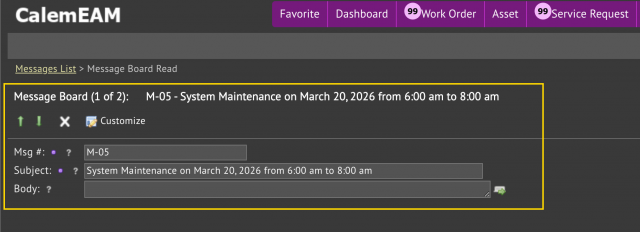
System messages are information about Calem such as planned downtimes of Calem for maintenance. They are displayed when users log into Calem. For instance, a message of Calem maintenance is shown in the screenshot below. System messages are managed from Admin module by Calem admin users. Menu: Admin | Open | MessagesA message includes start an...
Continue reading
  961 Hits
Tags:
961 Hits
May
13

When to Use a Dropdown Instead of a Checkbox


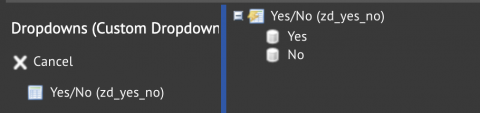
A dropdown is a field with values from a list. A checkbox is a field holding a binary value such as Yes/No. A dropdown with a list of Yes/No values is like a checkbox. However, it is different from a checkbox in required fields. A required field in a Calem form must have a value populated. A dropdown field can be a required field. So...
Continue reading
  3238 Hits
Tags:
3238 Hits
May
05

Field Prompts and Customization


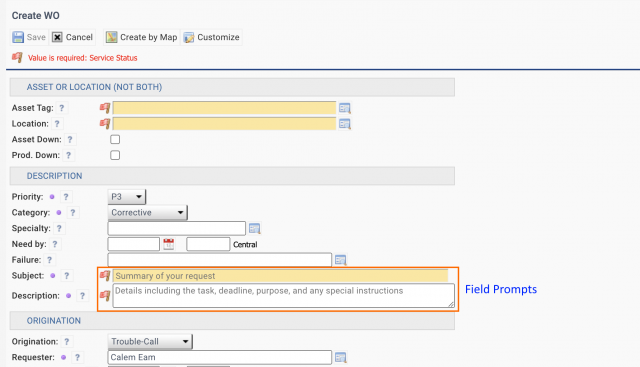
Field prompts are texts shown in creation or editing forms. They help users with populating fields with quality information. They are available in the coming release of Calem R2025d. The field prompts for the "Subject" and "Description" fields of work order form are provided out of the box (screenshot below).Field prompts are av...
Continue reading
  2586 Hits
Tags:
2586 Hits
Nov
16

Work Order Status Permission Reports


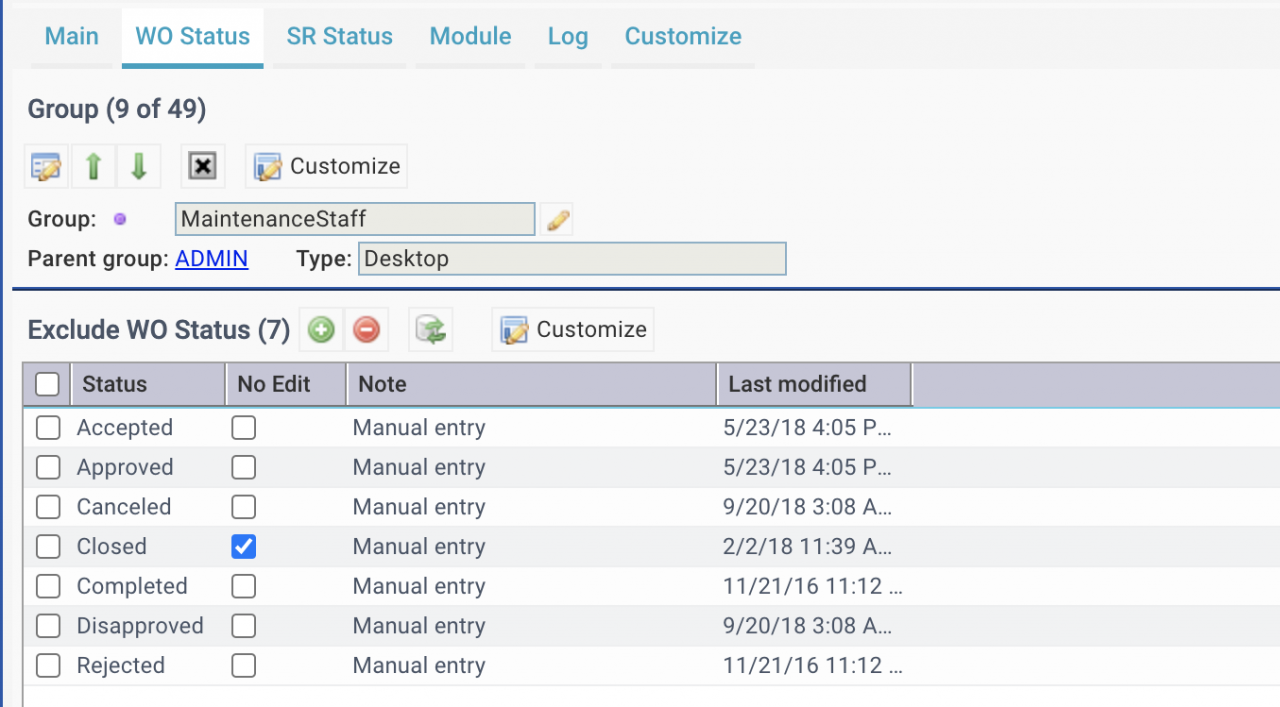
New work order status permission reports are available in the coming release of Calem R2024f planned for December 2024. Work Order status permission can be managed by groups (see this blog). For example, MaintenanceStaff group cannot change a work order to the statuses listed in the screenshot below.Service Request status permission can be man...
Continue reading
  2535 Hits
Tags:
2535 Hits
Aug
27

Clone a Custom Form and Customization Log


Cloning a customization from one group to another is available in the coming release of Calem R2023d (August 2023). It may save time for admin users in keeping consistent customization across user roles (or groups). Here is a sample use case to demonstrate the feature. There are asset form layout changes (creation/new, edit and read) with new ...
Continue reading
  4137 Hits
4137 Hits
May
08

Best Practice 1: Multi-Org and Admin


This blog series covers the best practices for customers and integrators to maximize the benefits from Calem Enterprise. The first blog focuses on the multi-org options and administration of Calem. The series will use existing blogs when possible so one does not have to go to user manuals that require valid support accounts to access. 1. Multi...
Continue reading
  3629 Hits
3629 Hits
Mar
16

Enhancement to License Seat Reporting


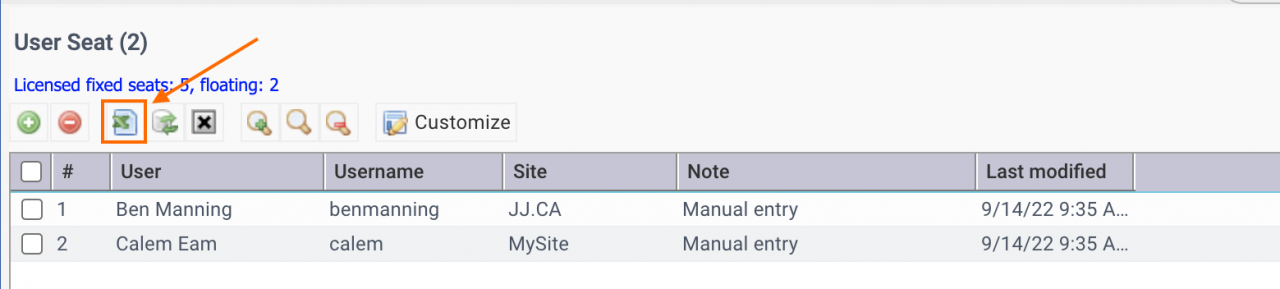
License seat reporting has been improved in the coming release of R2023a: License seats export to Excel: Admin | Open | User Seat User report includes the "License" flag for users with a license assigned: Organization | Report | User ListingQuery on the "License" flag (set to 1) to show all users with license assigned.  Additional Re...
Continue reading
  3342 Hits
Tags:
3342 Hits
Oct
04

Modules Docking at Top of the Desktop


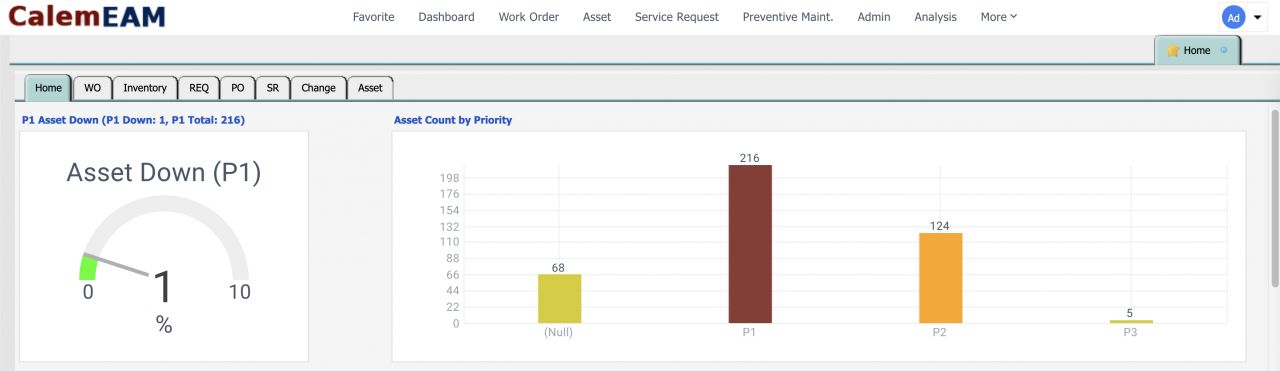
With the introduction of module home screens in Calem R21e, planned for October 2021, the modules can be docked at the top of the desktop in the web client.  The default menu for a module should be configured to the new home screen. The home screen is the default menu out of the box. A module may be customized wit...
Continue reading
  4814 Hits
4814 Hits
Jan
20

When to Use Server Processes


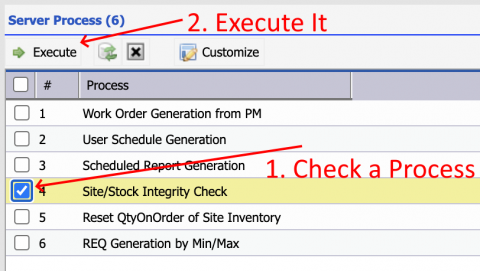
Server processes are scheduled and executed in Calem on intervals without the need of manual intervention. For instance, work order generation process is executed in the wee hours in the morning every day while workflow email processes are executed every several minutes to send or read emails.  The following server processes are made...
Continue reading
  6121 Hits
Tags:
6121 Hits
Oct
11

When to Use Group Tree in Customization


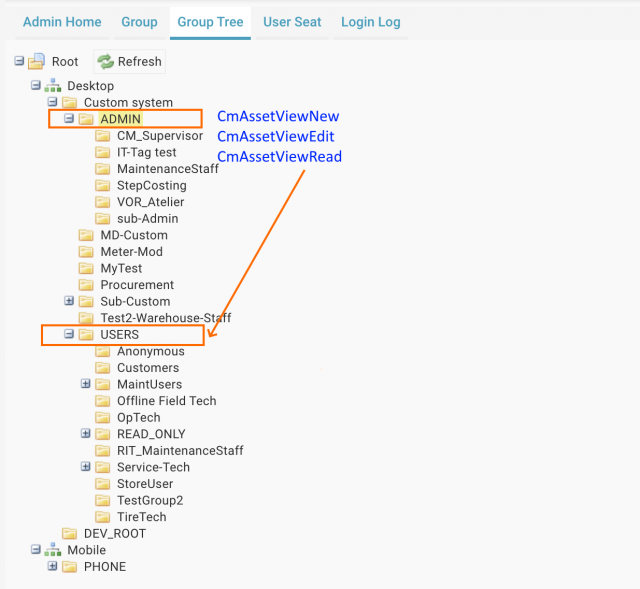
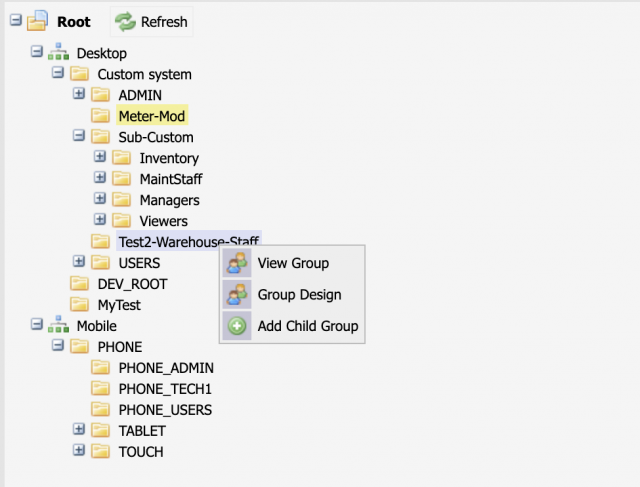
Group tree has been added in R02e (October 2020). A group represents a role, a group of users, or a persona in Calem. You should use the group tree if there are many roles in your organization. The group tree shows the group hierarchy for you to visualize the the group structure. Menu path: Admin | Group TreeRight-click on a group&nb...
Continue reading
  6334 Hits
Tags:
6334 Hits
Aug
12

How to Provision User in Calem by SAML SSO


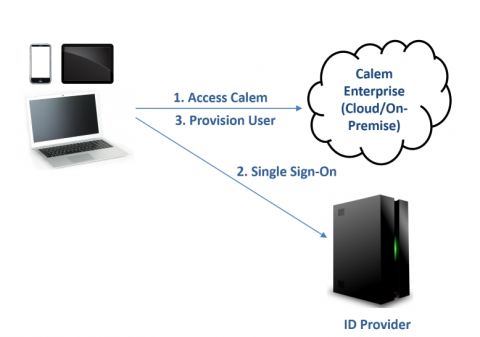
In the coming release of release R20d in August 2020, a feature is available to provision users in Calem based on SAML SSO. The feature allows an organization to centralize user management in its ID Provider. Calem provisions an authenticated user in Calem, or update the user settings accordingly. A user accesses CalemThe user is redirected to its ...
Continue reading
  6498 Hits
Tags:
6498 Hits
Jun
04

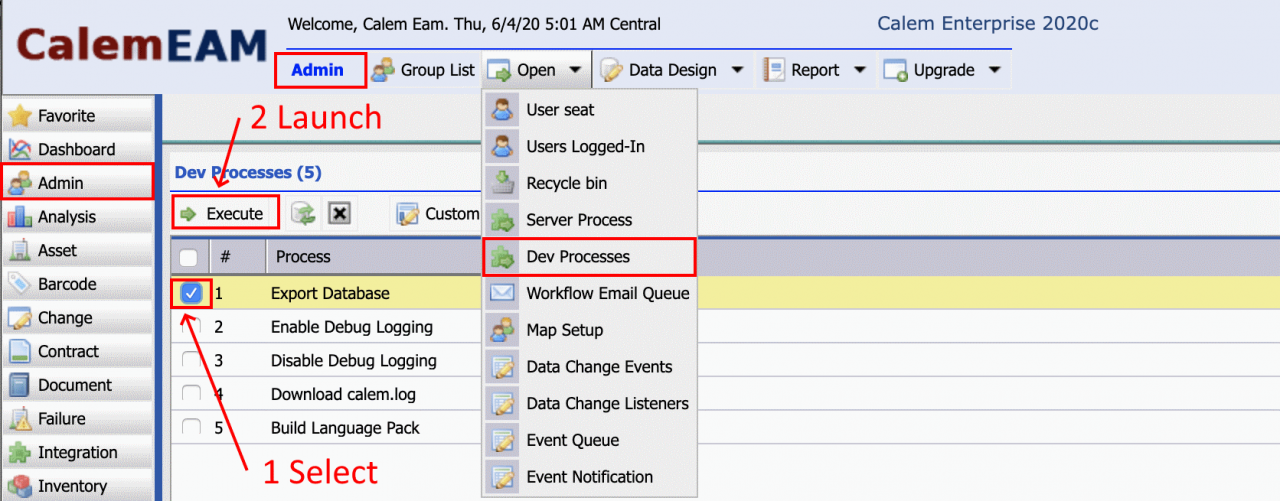
When to Use Dev Processes in Calem


Dev processes help administrators do development and troubleshooting. They are available in the coming release of R20c in June 2020.  Menu path: Admin | Open | Dev ProcessesOther server processes: Admin | Open | Server Processes 1. Export Database Database export is a scheduled task performed daily in Calem Cloud Service. It allows a...
Continue reading
  7559 Hits
7559 Hits
Sep
05

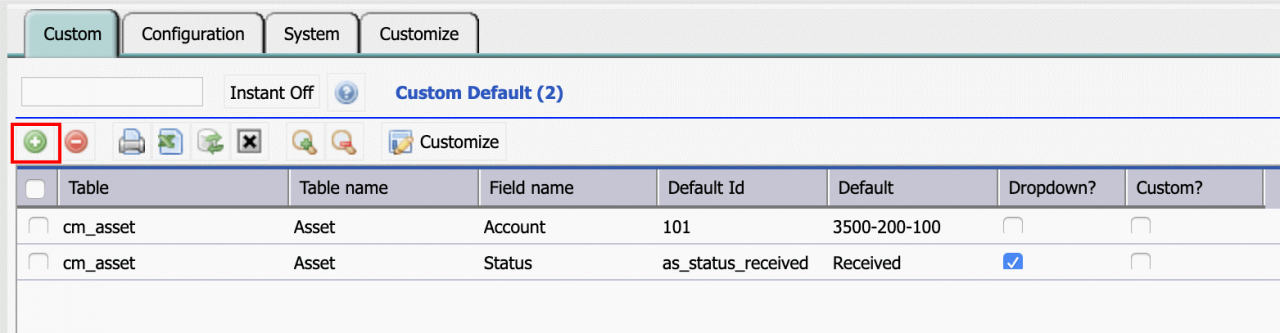
How to Configure Default Object Values in Calem


 Default object values are provided in the system files of Calem. Table definition in metadata (Calem_Home/server/metadata/table) Client configuration file (Calem_Home/client/conf/CmConf.custom.js)The default values are shown in screens when creating new objects. 1. Default by Data Design In the coming release R2019c (September 2019) admin can...
Continue reading
  6966 Hits
6966 Hits