
Clay's Blog

These are the official blogs about CalemEAM.
Mar
03

How to Delete Inventory Items Permanently in Calem


It is possible to delete inventory items permanently from Calem. The need to delete an item permanently may arise from: a) The item is no longer used any more; b) It was created by mistake; or c) it is a temporary item for testing. Alternatively, one can set an inventory item's status to inactive so the item will not show in loo...
Continue reading
  9276 Hits
9276 Hits
Feb
21

How to Add New Items to POs


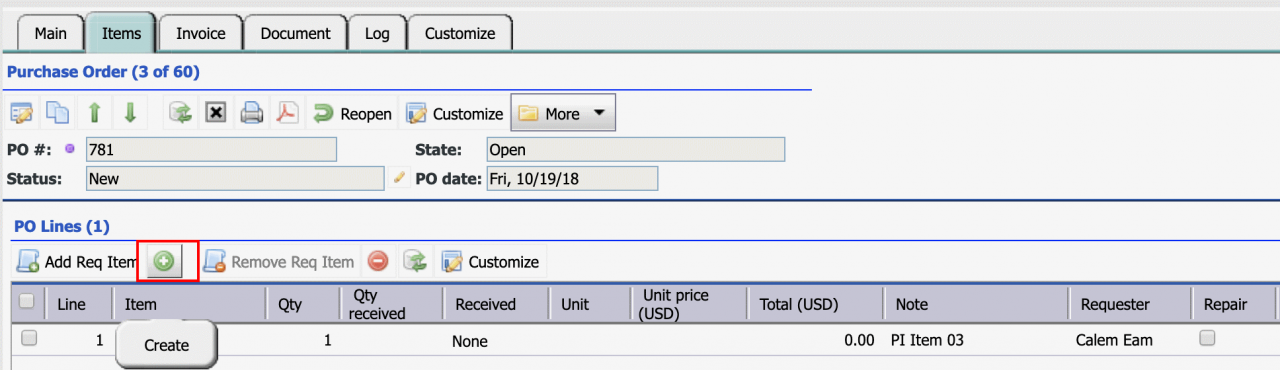
In the coming release of Calem Enterprise 2019 one can add new items directly from PO forms.  This feature make it much easier for buyers to create a new item and add it to a PO.  The first step is to navigate to a PO's item list. Click "+" to add a new item to PO.  Site inventory lookup form i...
Continue reading
  10089 Hits
10089 Hits
Jan
30

How to Search Inventory by Serial Numbers


​Assets in Calem can have manufacturer serial numbers. They can be managed individually in inventory by serial numbers and asset tags. This blog explores ways you can search for an asset in inventory by serial numbers. Option 1. Asset List Search The first option is to search the asset list by serial numbers. ​Menu: Asset module | Asset ListRi...
Continue reading
  19987 Hits
19987 Hits