Clay's Blog

These are the official blogs about CalemEAM.
Oct
31

How to Receive All Items in a PO


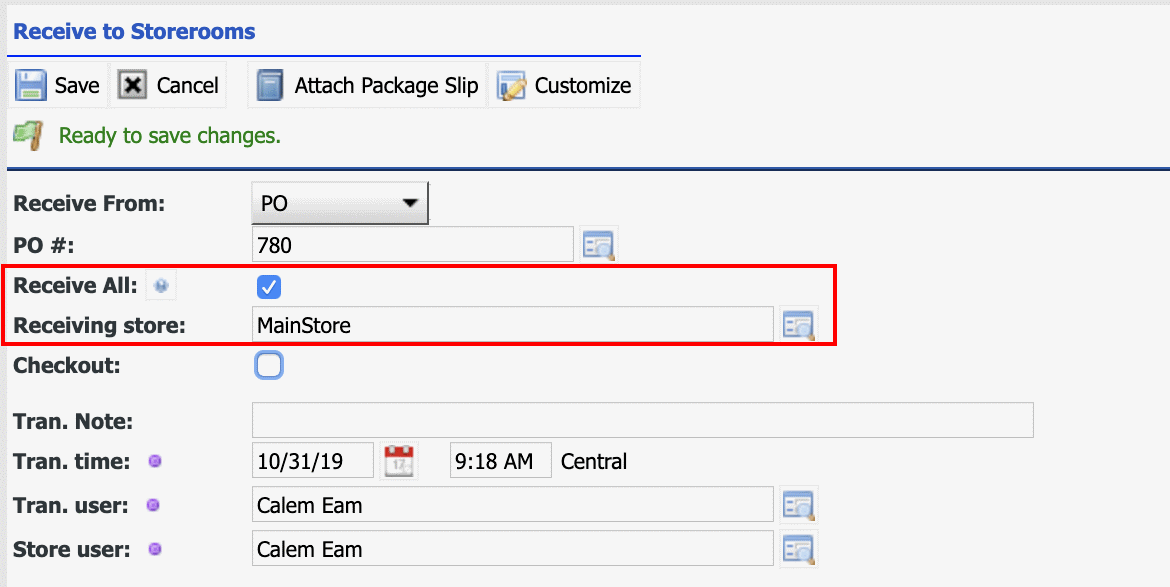
A new feature is available in R2019d for one to receive all PO lines. This feature is handy for one to receive POs with many items.  Launch the PO receive from Inventory | Transactions | Receive to Storerooms, or from a PO screen. Set "Receive All" checked.Set a storeroom to receive all the items. All storerooms accessible to the login user ca...
Continue reading
  8917 Hits
8917 Hits
Aug
23

How to Configure PO Approval Routing in Calem


Approval routing of purchase orders (POs) has been added in the the coming release of R2019c.  When a PO is created the status is set to "New". One may add line items to the PO.Calem will transition POs of "New" status to "Ready" in 30 minutes after last updated. One may also manually move a PO into "Ready" status.When a PO reaches t...
Continue reading
  7157 Hits
7157 Hits
Aug
09

How to Use Item Revision in Calem


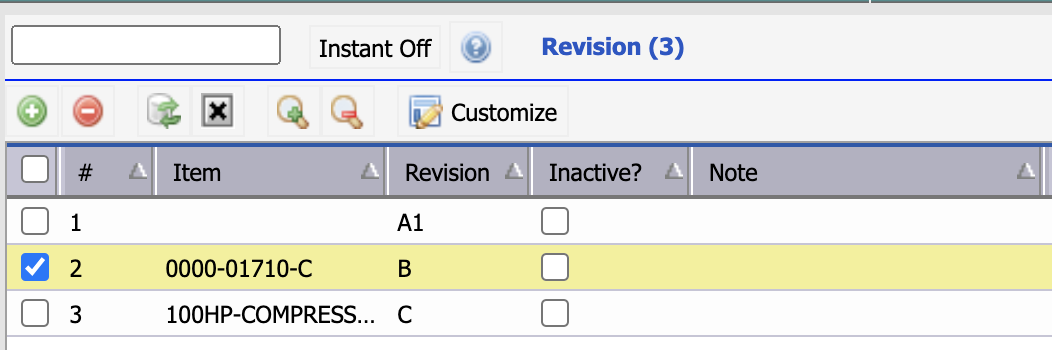
Item revision is introduced in the coming release of R2019c. It is used to track the latest revision of an item. It is defined at global items and copied to site items. It is copied over to the lines of requisition and purchase ordersThe current revision number of an item is copied to inventory transaction. It is not tracked in inventory ...
Continue reading
  6593 Hits
6593 Hits
Mar
11

How to Create POs through Data Upload


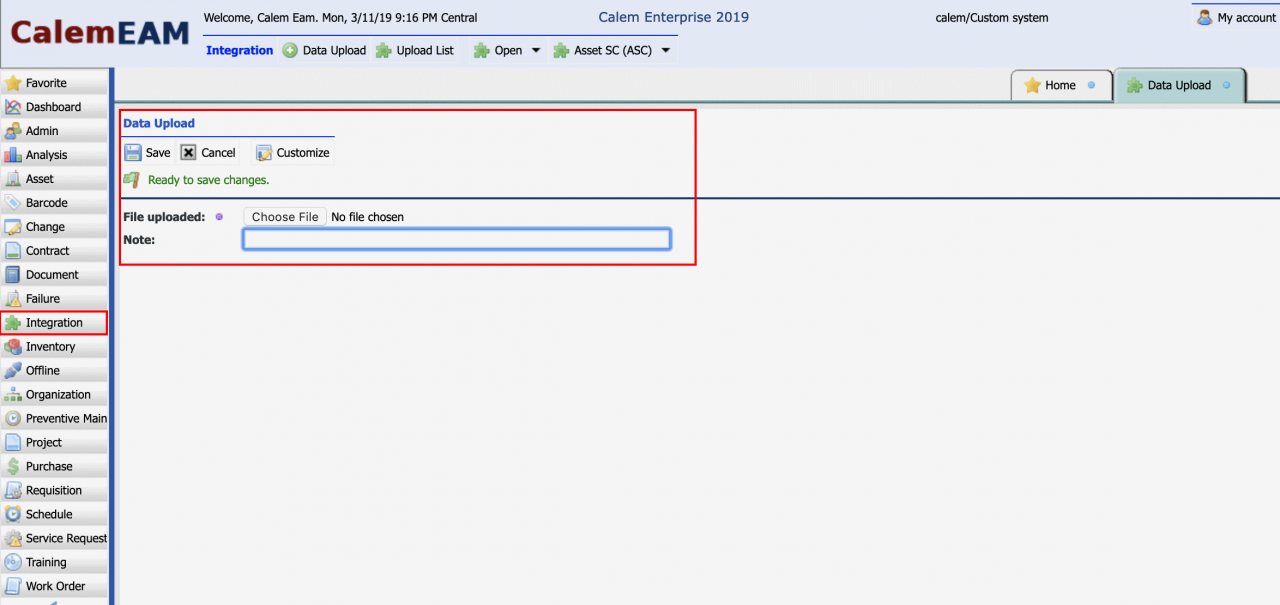
The feature to upload POs and PO lines is available in Calem Enterprise 2019 available in March 2019. The use case is that often times you have many POs and PO lines from other sources in excel files. This blog discusses the steps to create POs and PO lines through data upload with the templates provided by Calem. Step 1. Data Upload Refe...
Continue reading
  15488 Hits
15488 Hits
Feb
21

How to Add New Items to POs


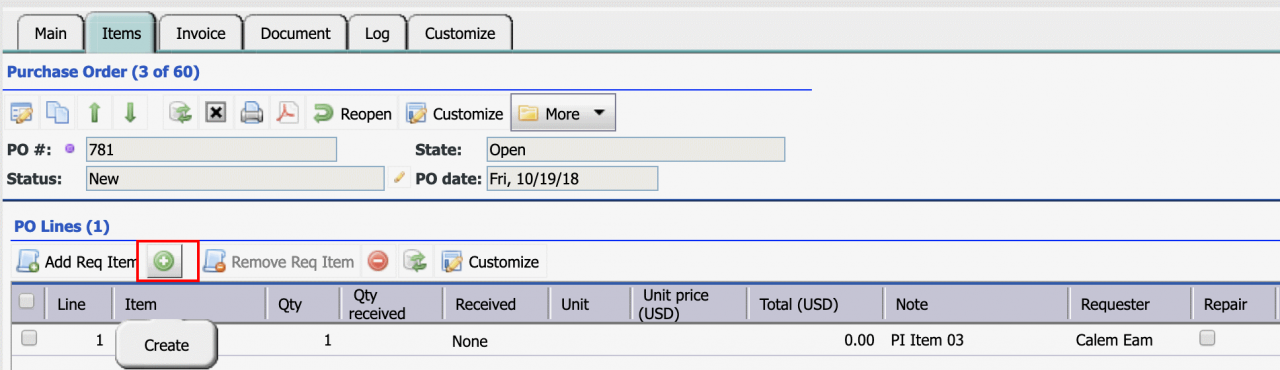
In the coming release of Calem Enterprise 2019 one can add new items directly from PO forms.  This feature make it much easier for buyers to create a new item and add it to a PO.  The first step is to navigate to a PO's item list. Click "+" to add a new item to PO.  Site inventory lookup form i...
Continue reading
  8859 Hits
8859 Hits