Calem Blogs

Blogs of CalemEAM
Feb
02

How to Configure Boilerplate Work Order Steps by PM Plans


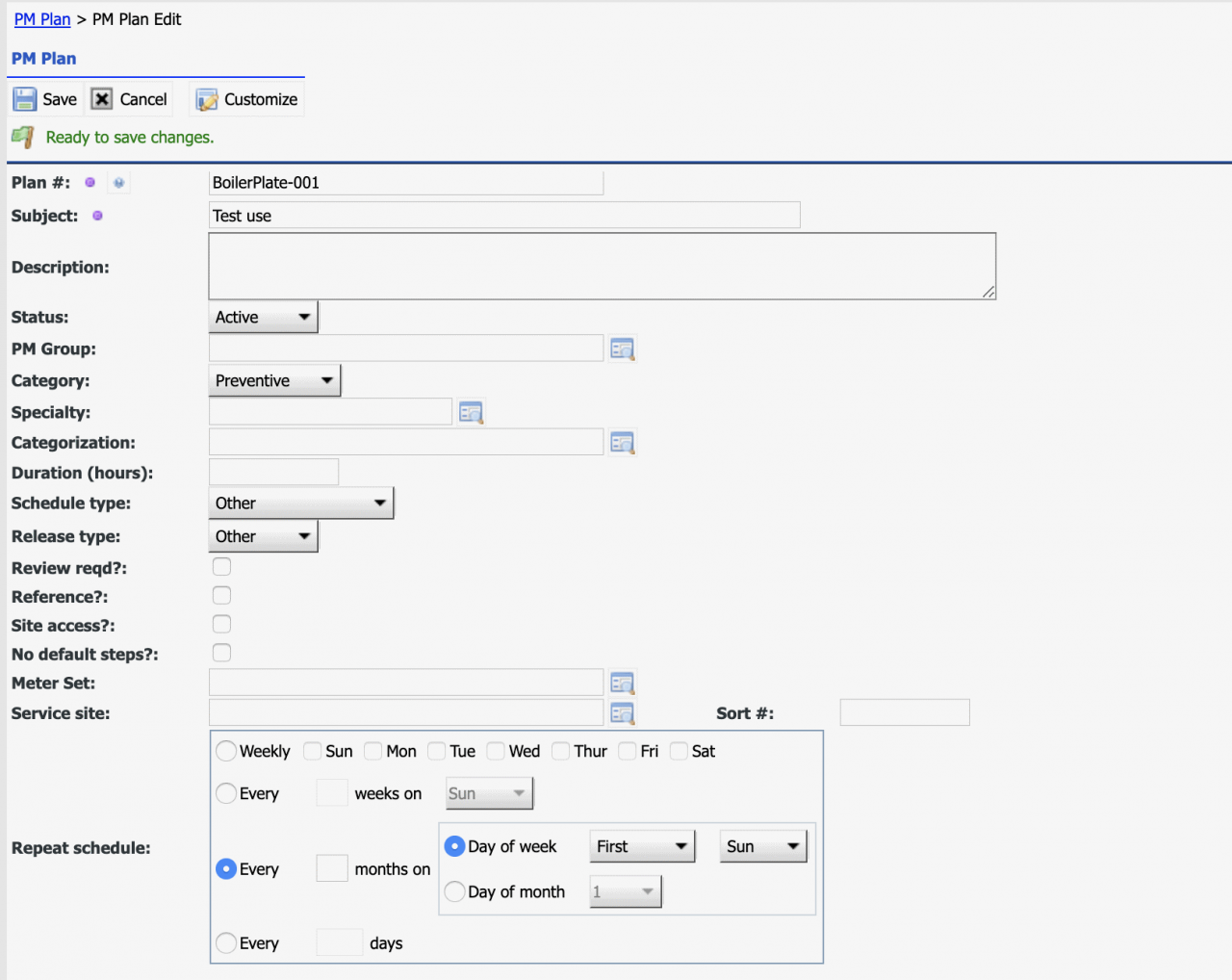
This blog is a tutorial of using PM Plans as default work order steps or safety procedures. Here is one use case we will use in this blog: All corrective and PM work orders must have the same safety procedures consisting of the following 7 steps:Notify Supervisor/Manager of the affected machine or areaApply Lock-Out Tag-Out when neededEnsure a...
Continue reading
  13783 Hits
13783 Hits
Jan
24

Dropdown Menu Auto-Open


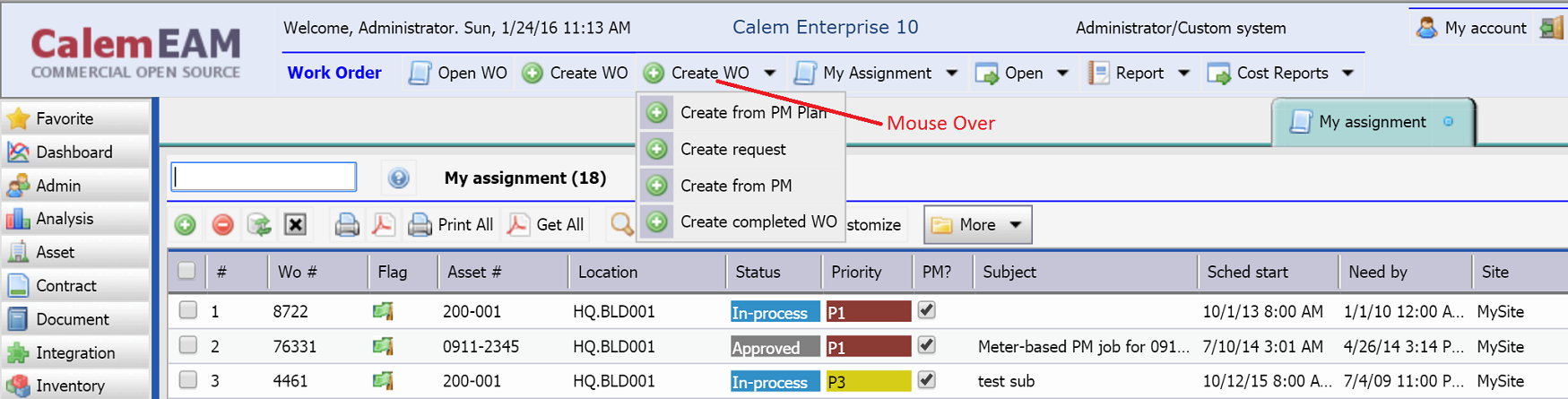
In release R10 the dropdown menu in a toolbar will auto-open when a mouse is over it. This feature saves a mouse click and allows one to pick a menu quickly.
  9835 Hits
9835 Hits
Jan
24

Boilerplate Steps in PM Plan (Deprecated)


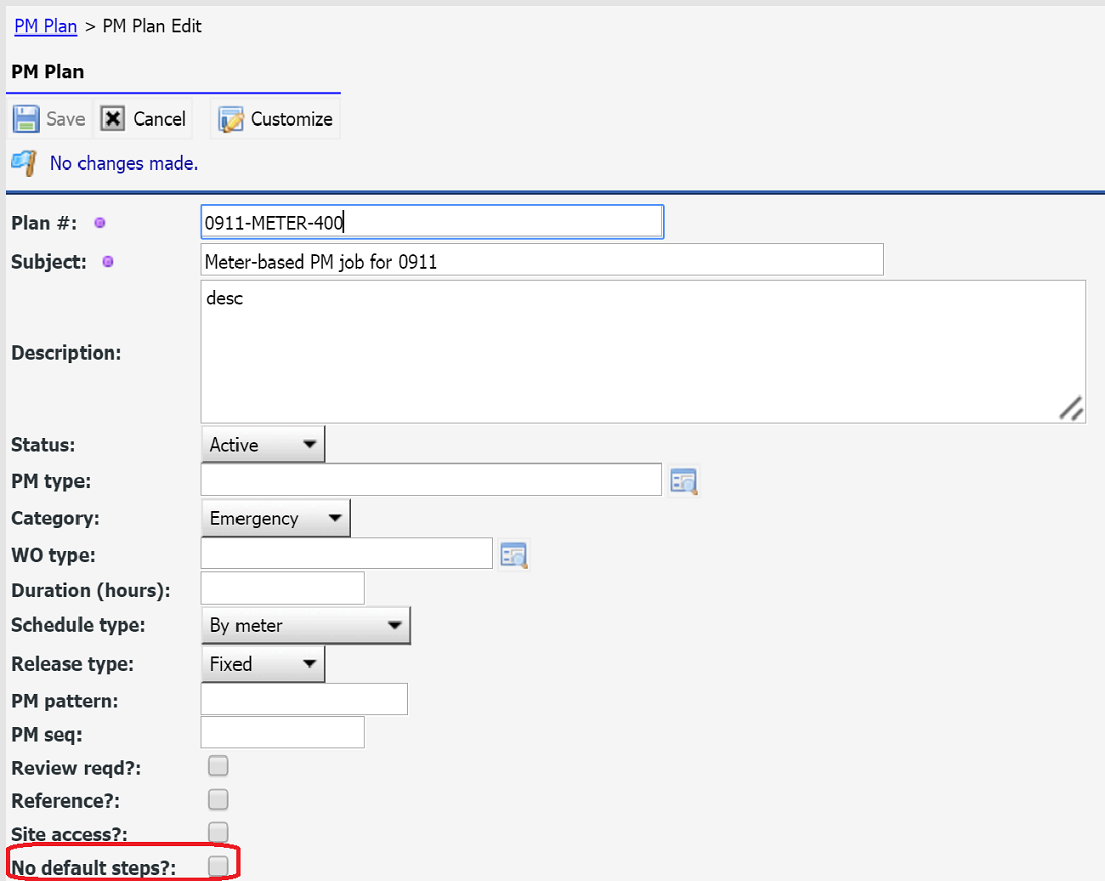
This blog is deprecated. It is superseded by How to Configure Boilerplate Work Order Steps by PM Plans. Boilerplate steps/safety notes can be configured for both corrective (manually created work orders) and generated work orders (from PMs). For example, there are four steps to be performed for each PM, and a few steps to be performed for...
Continue reading
  10043 Hits
10043 Hits
Jan
24

Asset Item in R10


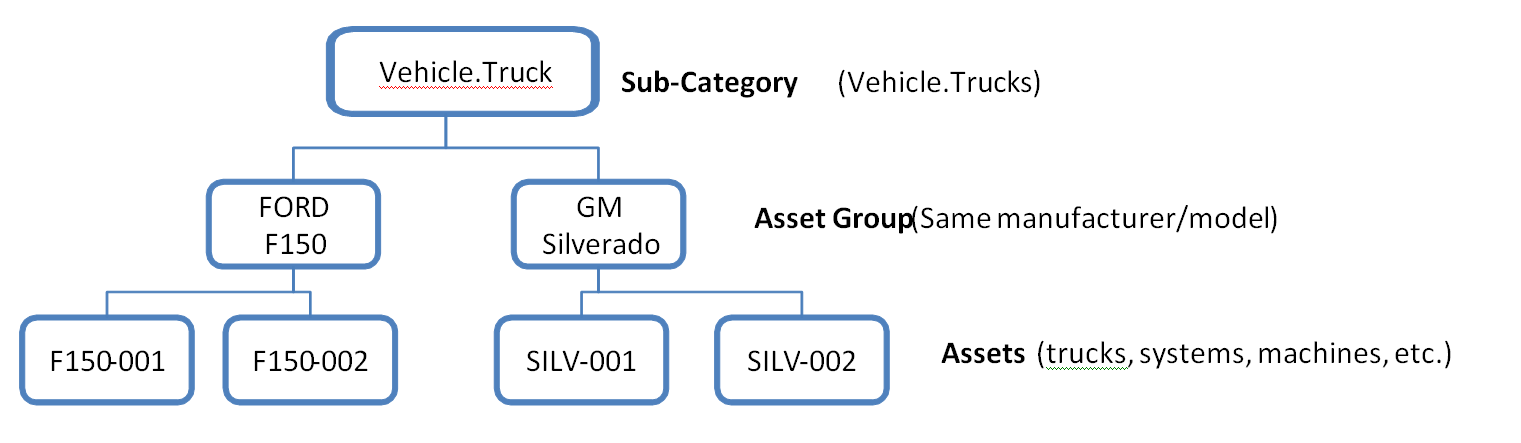
Note: this blog is superseded by Asset Item and Bill of Material, and Categorization and Category Attributes in R11 available in Spring 2018.​ ​Asset Category and Sub-Category is replaced by categorization hierarchy.Asset Group is renamed to Asset Item from R11d. Category, Sub-Category and Asset Item Assets are grouped in the following le...
Continue reading
  12016 Hits
12016 Hits
Jan
24

Bulk Update by Data Export and Upload


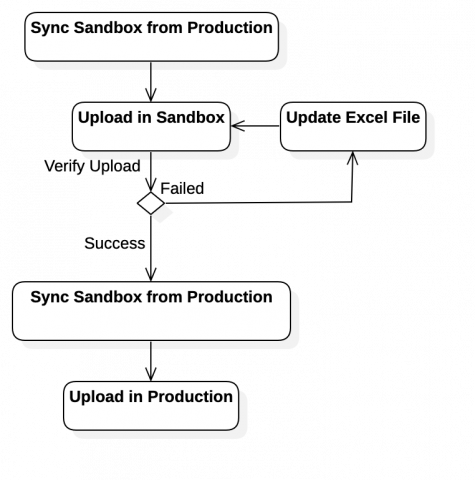
 The integration module allows administrators to perform bulk data initialization or updates. You can craft an excel template from a report and export data to store off the excel file.Use the same excel file to populate data and upload data to Calem.0. Best Practice for Data UploadData upload may insert or update your data. It is critical that...
Continue reading
  20242 Hits
20242 Hits
Jan
24

Dropdown and Lookup Customization


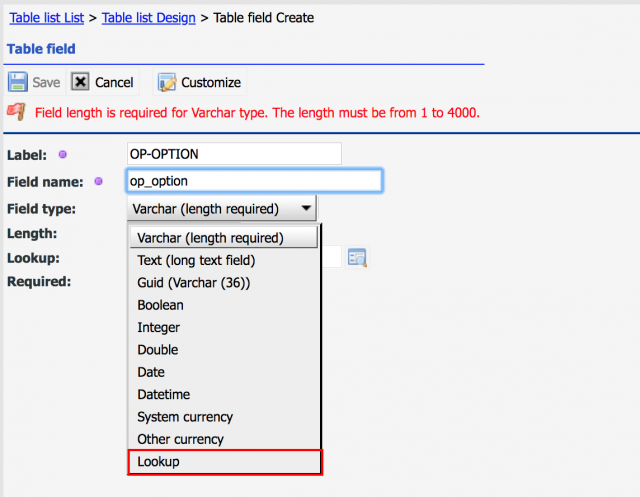
Admin users can add custom fields in Calem. "Lookup" fields can only take values from a dropdown list or another table. They are great tools to avoid duplicate or invalid data. 1. Lookup and Dropdown Calem supports two types of fields that take values from a predefined list. These fields are generally referenced as lookup fields...
Continue reading
  13864 Hits
13864 Hits
Jan
24

Sort Weekly Schedule by Team


​Team column has been set in weekly schedule screen (menu path: Schedule module | Weekly Schedule) so one can sort the users by the team. It is available in release R10 in January 2016.
  10333 Hits
10333 Hits
Jan
24

Asset Category Attributes


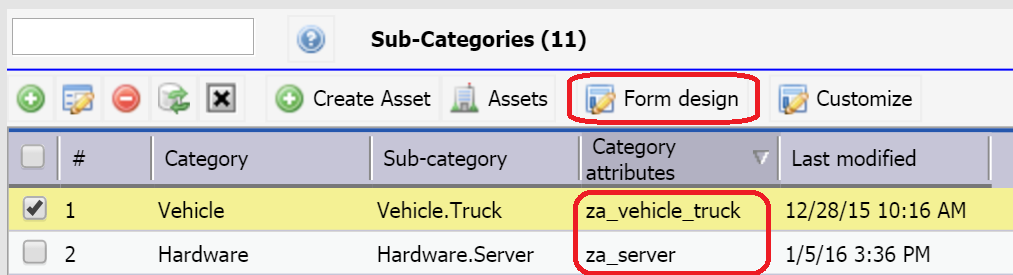
Note: this blog is superseded by Class and Class Attributes in R11 available in Spring 2018. Asset Category and Sub-Category Asset category and sub-category are used to organize assets and configuration items in Calem. Inside a sub-category, you may organize assets into asset groups. For example, you have defined an asset group "F150-Truc...
Continue reading
  11559 Hits
11559 Hits
Jan
23

Scheduled Reports (Deprecated)


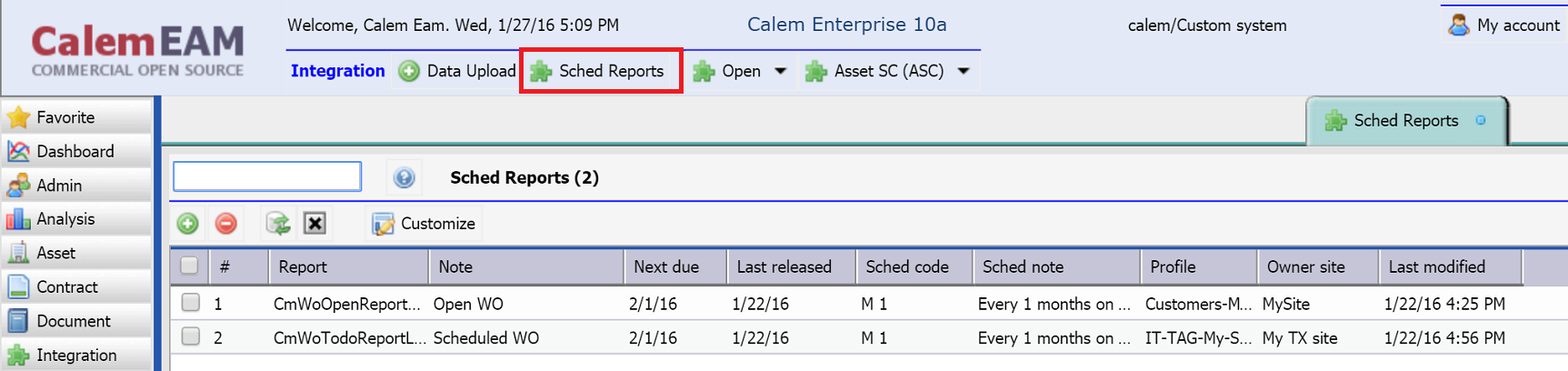
This blog is superseded by a new blog: How to Set up Scheduled Reports in Calem Scheduled reports allow one to set up reports to be generated on a future date and emailed to users. It is a new feature added in R10. A few reports are available as scheduled reports. More scheduled reports will be added based on customer feedback. Here is a ...
Continue reading
  8931 Hits
8931 Hits
Jan
23

Meter Triggered Work Orders


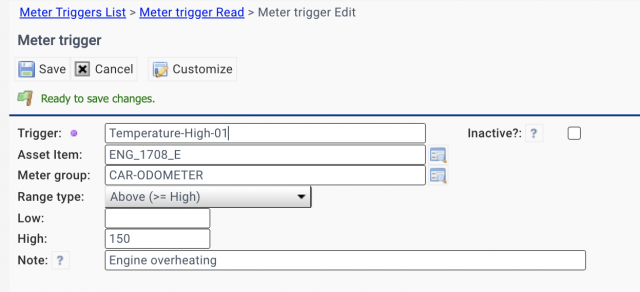
Meter triggers define the ranges of readings that meter events should be fired. For instance, one can define meter triggers for engine temperature readings. If an engine's temperature is too high, a trigger is fired.  You can define meter triggers to kick off work orders in Calem. Here are the steps: Define meter triggers for meter groups...
Continue reading
  9879 Hits
9879 Hits
Jan
23

Scheduled Upload of Meter Readings

Scheduled upload is a process that is launched every day by Calem. It is an ideal process for uploading daily machine readings. Here are the workflow processes: ​Use a file transfer tool to automate the transportation of meter reading excel files to Calem services. For instance, you may use Capistrano (https://capistranorb.com/) to automate the fil...
Continue reading
  9328 Hits
9328 Hits
Jan
23

How to Customize Multi-Language Labels/Texts


Multi-language labels allow Calem to show text labels in several languages in forms, reports and exports. For instance, "WO #" and "BT #" are English and French labels for work order number labels, Calem could display the label for work order label as "WO #/BT #".  Here is a use case of dual-language labels: A customer has a joi...
Continue reading
  10734 Hits
10734 Hits
Nov
30

Priority and Category in Service Request Entry


This support case addresses the following use case: ​When reporting an issue as a service request in Calem, they should select a priority and category specifically.Dropdown fields are prefilled with the first value in the dropdown list or a pre-configured value by administrators. Calem is modified to require a user to select a dropdo...
Continue reading
  8443 Hits
8443 Hits
Nov
30

Workflow Events Enhancements for Work Orders

​The following use cases have been addressed: ​Turn off notifications for preventive maintenance work orders while allowing the same notifications for non-PM work orders.Do not send notifications when work orders are closed.Do not notify technical staff and clients when a work order is created or approved. The notifications should only be sent...
Continue reading
  8979 Hits
8979 Hits
Nov
01

Calem Enterprise Customization

Customers can tailor Calem Enterprise by built-in tools without worrying about upgrading their solutions. The customization through the built-in tools is preserved when upgrading to new releases.  Here are the areas of customization through the built-in tools: ​User Interface (UI) Customization - change forms and reports ba...
Continue reading
  12401 Hits
12401 Hits
Oct
25

Multi-Site Solution

​The multi-site solution in Calem Enterprise has been successfully implemented by customers to manage both internal operations and customer services. Internal Operations In this use case a company uses Calem Enterprise to manage its own operations in multiple sites. A site is a physical presence of the company such as a regional offi...
Continue reading
  8795 Hits
8795 Hits
Oct
19

Disallowed List for Assignment

For technical staff who are EAM crew (i.e., who can be assigned to work orders) and not allowed to be sent to a site in normal cases, the Site Disallowed can be used to implement the use case. This feature affects the work order assignment. Here are the workflow procedures for this feature. Define users who should not be sent to a site or a company...
Continue reading
  8120 Hits
8120 Hits
Oct
19

Pin a Form Tab


Up to 6 forms are displayed in the Calem desktop by default. When a new form is opened, the forms will be shifted left and the left-most form will be removed when the open forms reach the allowed maximum of 6. The new form is added to the right. To keep a form from being removed, you may pin a form to the desktop: up to 4 forms can be pin...
Continue reading
  8291 Hits
8291 Hits
Oct
12

PM Completed from Work Order Screen


​A convenience feature is available in Calem Release R9.0h for one to view completed PM work orders without leaving the work order screen. Here is the steps to use this feature: ​Use a proper list view to find work orders of interest. For instance, a technician may use "My WO" list to find own assignment to be worked on. A supervisor may ...
Continue reading
  9513 Hits
9513 Hits
Oct
12

Preventive Maintenance (PM) Custom Fields in Work Orders

A preventive maintenance (PM) object is a preventive job to be performed regularly by schedules. A feature has been added in Calem Release R9.0h to copy custom fields of PMs to work orders when the PMs are turned into work orders. There are sample use cases for this feature: A monthly PM requires a particular certificate an...
Continue reading
  10368 Hits
10368 Hits